
Vacation rental journal
Vacation Rental Arrival Check: Record Existing Damage and Missing Amenities
The first few minutes in a vacation rental are a useful time to compare the place with what you booked. You do not need to inspect every drawer or…
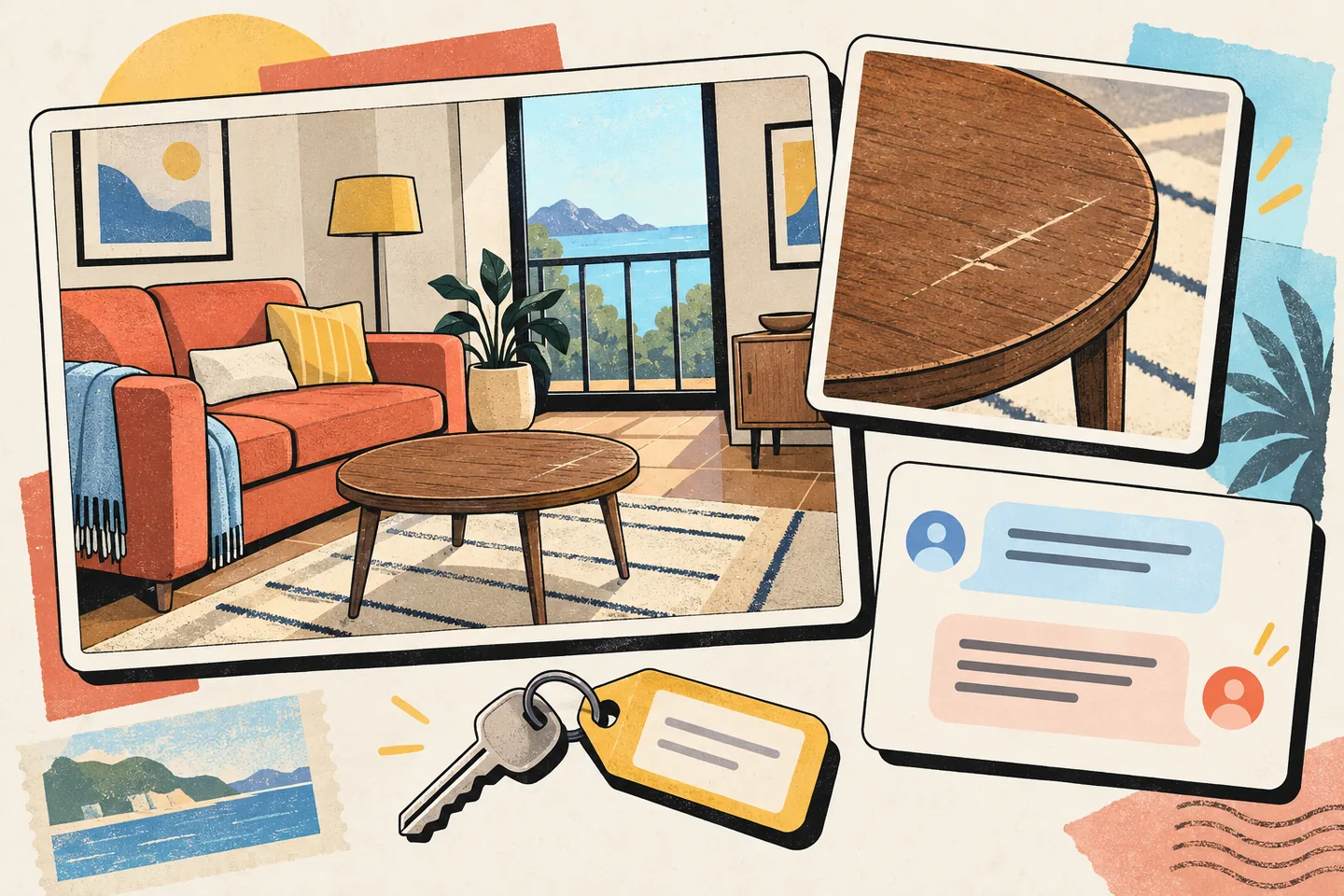
The first few minutes in a vacation rental are a useful time to compare the place with what you booked. You do not need to inspect every drawer or document ordinary wear. Focus on conditions that could affect the stay or later be mistaken for damage caused by your group: a missing advertised amenity, a broken fixture, a safety concern or visible damage already present when you arrived.
A clear arrival record helps both guest and host understand what was found, when it was found and what happened next. Keep the process brief and factual. Take photographs before moving or cleaning anything, then send a concise message through the booking platform while the discovery is fresh.
Compare the property with the booking
Open the listing and reservation details as you enter. Check the features that shaped your decision to book, particularly the number and type of rooms, access to the spaces included in the reservation, and any specifically advertised amenity you expect to use. A photograph of a pool in a listing gallery, for example, needs context: was it described as private, shared or seasonal? Record the wording you relied on before describing the difference you find.
Walk through the main living areas, bedrooms and bathrooms. Look for obvious existing damage such as a cracked window, stained upholstery, a damaged countertop or a broken appliance. Note missing items only when they were promised or are needed for normal use. “No coffee maker” is more useful as a reservation concern when the listing says one is provided; otherwise, it may simply describe a preference the property never offered.
Give safety concerns priority over photography. If there is an active leak near electricity, an unsecured entrance or another condition that makes an area unsafe, keep people away from it and contact the host promptly. Use the platform’s safety or emergency route where appropriate; Airbnb advises contacting local emergency services immediately when personal safety is threatened. Its guidance for problems during a reservation also recommends documenting an issue with photos or video when possible and contacting the host.
Leave damaged items as found where safe. If something must be moved to make the space safe, note what you moved and why.
Make photographs explain the condition
For each significant finding, take one wider photograph that locates it in the room and one closer photograph that shows the detail. A close-up of a scratch may show its shape but give no clue which table it is on. A wide room photograph may establish location but conceal the scratch. The pair makes the record easier for someone who was not there to understand.
For a missing or unusable amenity, show the relevant space and save the listing description that identifies the feature. For a heating problem, record the control’s setting and any visible error without opening equipment or guessing at the cause. For a locked room, describe the access you attempted. “The bedroom door would not open with the supplied key” is more precise than “The host gave us a defective lock.”
Record the arrival date and approximate time. Keep original photo files after sending copies. A camera timestamp can help establish a sequence, but its clock may be wrong and a photograph alone cannot establish who caused a condition. Connect each image to a room, the listing promise, your message and any host reply.
Send a short message through the booking platform
Report meaningful findings promptly rather than waiting until checkout. The host may be able to confirm a condition, explain an amenity or arrange a remedy. Airbnb recommends messaging the host about a stay issue; Airbnb’s message-attachment guidance explains how to share photos or videos in the reservation conversation.
Identify the room or item, state what you observed, say when you noticed it and attach relevant images. If an advertised feature is absent or unusable, describe the listing promise accurately. Ask whether the host can confirm the damage was present before arrival, explain access to the amenity or arrange a repair. Put an urgent problem ahead of minor cosmetic marks.
Hello, we checked in on [arrival date] at approximately 4 p.m. and noticed a crack in the living-room window and a stain on the sofa before using either area. We have attached a room view and a close-up of each. The listing also includes a washer, but we could not find one in the unit; could you tell us where it is? Please confirm you have received this note and let us know whether any action is needed on our side. Thank you.
Adapt that message to what you actually found. Do not say an item was missing until you have checked the likely location or asked where it is. Do not label a condition “pre-existing” as a proven fact if you first noticed it after using the space; state when you discovered it. If a host calls or speaks with you in person, follow up in the platform thread with a brief account of the agreed next step and invite correction if you misunderstood.
Keep a two-sided evidence log
A useful log is a sequence, not a verdict. Guests can note when they entered, what they saw before using an area, which photographs correspond to each issue, when they messaged the host and what reply they received. If a repair takes place, record when access was arranged and whether the item worked afterward. Photograph the condition again only when the change matters to the issue.
Hosts can make the same record from their side. A host who receives an arrival report can acknowledge it in the reservation thread, check the item or listing description, and say what they can verify. If the condition was already known, a plain confirmation is more useful than a vague reassurance. If the host disputes the description, they can explain what they observed and provide relevant, dated records without accusing the guest of causing damage.
Both sides benefit from keeping each entry narrow:
- Condition: What item or area is involved, and what can be seen or tested without disturbing it?
- Timing: When did someone arrive, discover the issue, send a message or inspect the property?
- Listing comparison: What did the reservation actually promise about the feature?
- Evidence: Which original photos, messages or other records support that entry?
- Response: What did the other party confirm, correct or offer to do?
A few dated notes alongside the platform conversation are enough. Keep unrelated personal belongings and people out of photographs where possible.
Know which issue you are reporting
An arrival concern about the accommodation differs from a later claim that a guest damaged it. On Airbnb, a guest-reported Reservation Issue may include a home that is not habitable at check-in or is significantly different from its listing, including an advertised special amenity that is absent or does not work. Its policy on rebooking and refunds for homes explains the reporting and evidence requirements. Check the policy that applies to your booking when an issue arises; documenting a difference does not itself establish eligibility for a refund.
A host damage claim follows a separate process. Airbnb says a host who believes a guest is responsible for damage, missing items or certain cleaning costs may send a reimbursement request through its Resolution Center. The guest is notified and has an opportunity to respond; Airbnb may review the host’s evidence and the guest’s initial response if the matter is escalated. Airbnb’s damage-claim guidance sets out that process and its current response period. Check the notice and applicable rules rather than assuming a deadline from an older article or another platform.
If a claim arrives, respond to the specific allegation. Identify the item, compare it with the arrival photographs and messages, and explain any gap in your knowledge honestly. A guest’s arrival photo may show that a crack was visible early in the stay, but it cannot automatically resolve every question about its cause or later condition. Equally, a host’s checkout photograph does not by itself show when damage occurred. Keep the discussion tied to the available record.
Before leaving, note whether an arrival issue was repaired, an amenity supplied or the matter left unresolved. Record any later change separately from the condition seen on arrival.